Why it matters
A dental record is easy to get wrong. The same tooth is charted by different people at different visits, a plan is mistaken for work done, and an estimate drifts away from what was charged. Each of these starts as a small gap between the chart, the plan and the invoice.
The Ventrecs dental module keeps one chart for each patient, built only from signed facts, and reuses the patient, visit, consent, diagnosis, pharmacy and billing records that already exist. It never creates a second patient or a second invoice.
- Anatomical odontogram with FDI teeth, in primary, mixed and permanent dentition
- Charting toolbox and care panels that add a bundle of plan items in one click
- Assessments, treatment plans with estimates, and signed procedures
- Six-site periodontal exams, recalls, chairs and appointments
- Quotations through Sales, with deposits
- Starter profiles for Saudi Arabia, the UAE, Lebanon, Iraq, Oman and Bahrain, supplied as drafts to review
See the whole mouth at a glance
An anatomical chart that fits the screen, with crowns and roots drawn by tooth type and five surfaces for every tooth.
- Easy to read
- Colour and pattern both carry the state: observed, existing, planned, completed, historical, and your own unsigned draft.
- Hover for detail
- Hover over a tooth to see everything recorded on it, and replay the chart as it was on an earlier date.
- Age-appropriate
- Primary, mixed or permanent dentition, suggested from the age and confirmed by the dentist. A retained primary tooth in an adult stays chartable.
- Your numbering
- FDI numbers are stored, and Universal or Palmer labels are shown by country.
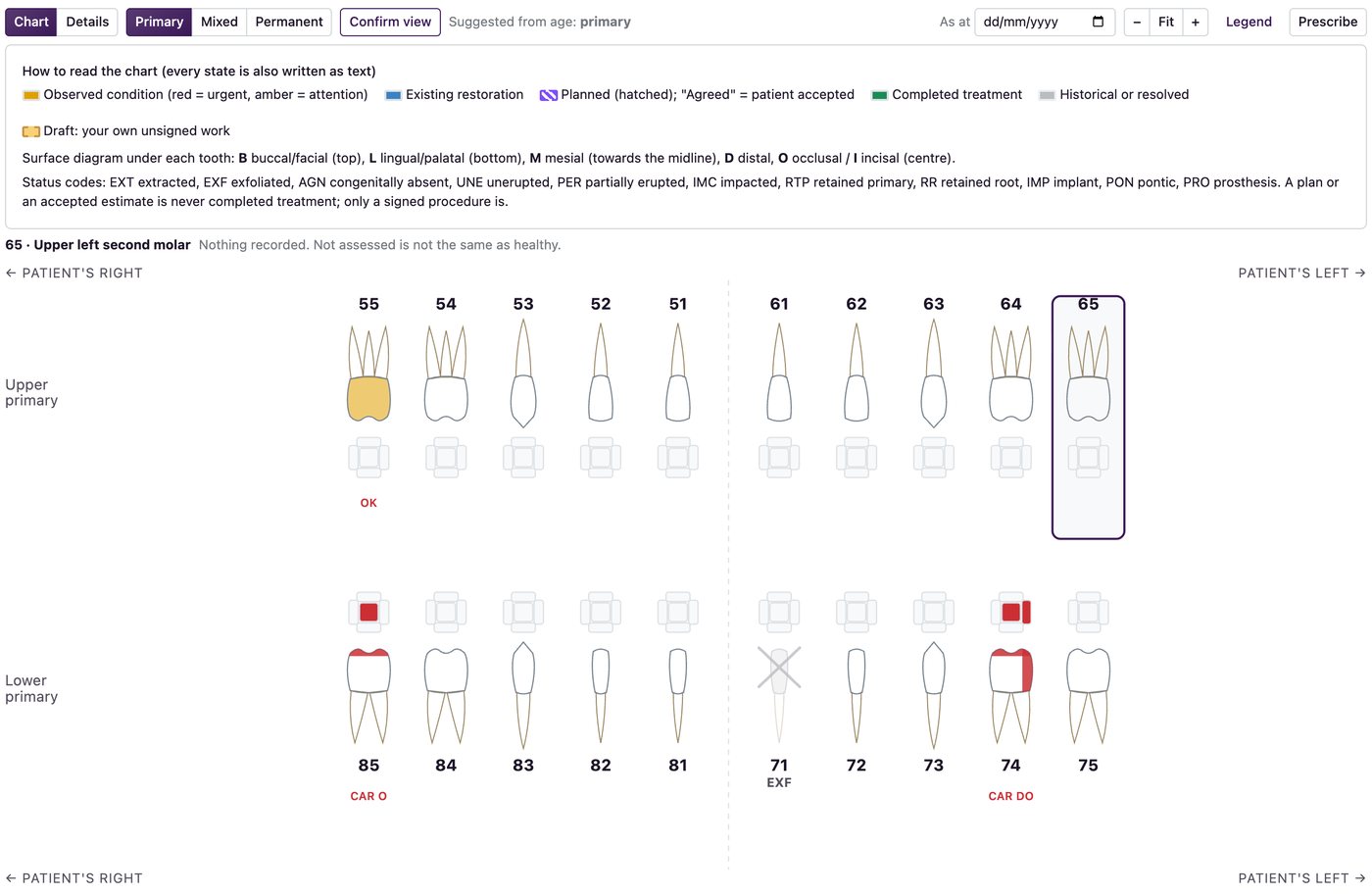
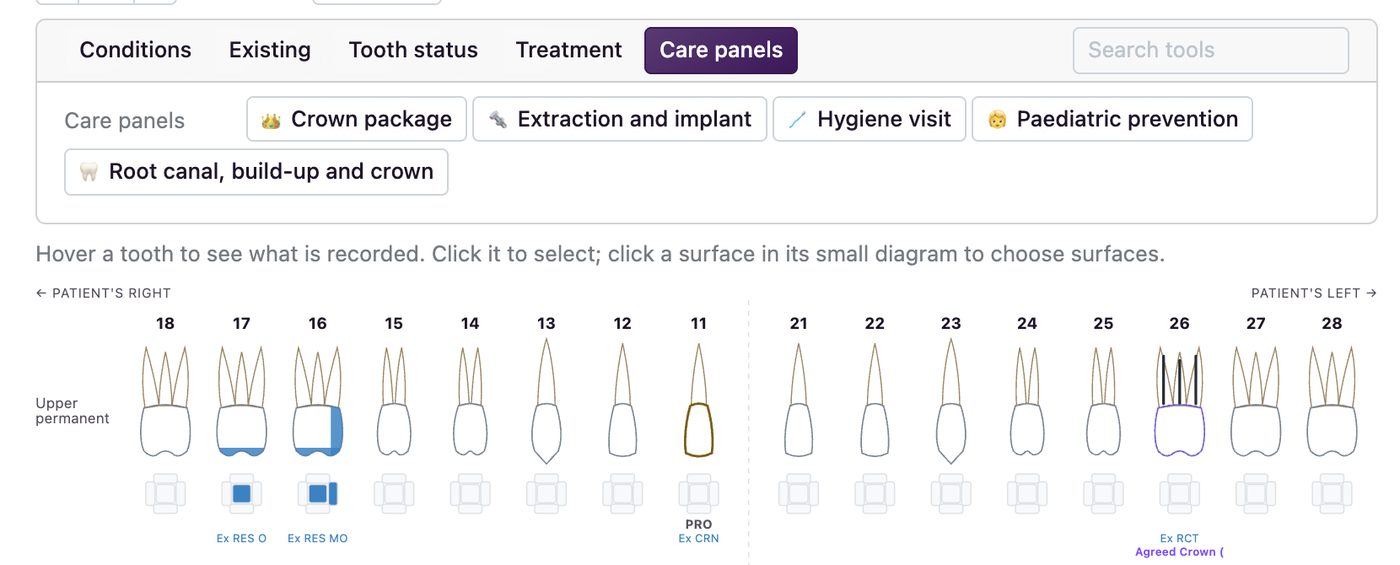
Chart in a click
Pick a tool, then click a surface and a tooth. Conditions and existing work become draft findings; treatments become items on the plan.
- Five panels
- Conditions, existing work, tooth status, treatment and care panels.
- Care panels
- One click adds a whole bundle of plan items: a hygiene visit, a crown package, a root canal with post and core and crown, an extraction with an implant, paediatric prevention. The dental director edits the buttons, for all countries or one.
- Undo until signed
- Every click can be undone until it is signed or approved. Treatment tools need a dentist; an assistant can chart conditions.
Everything on one list
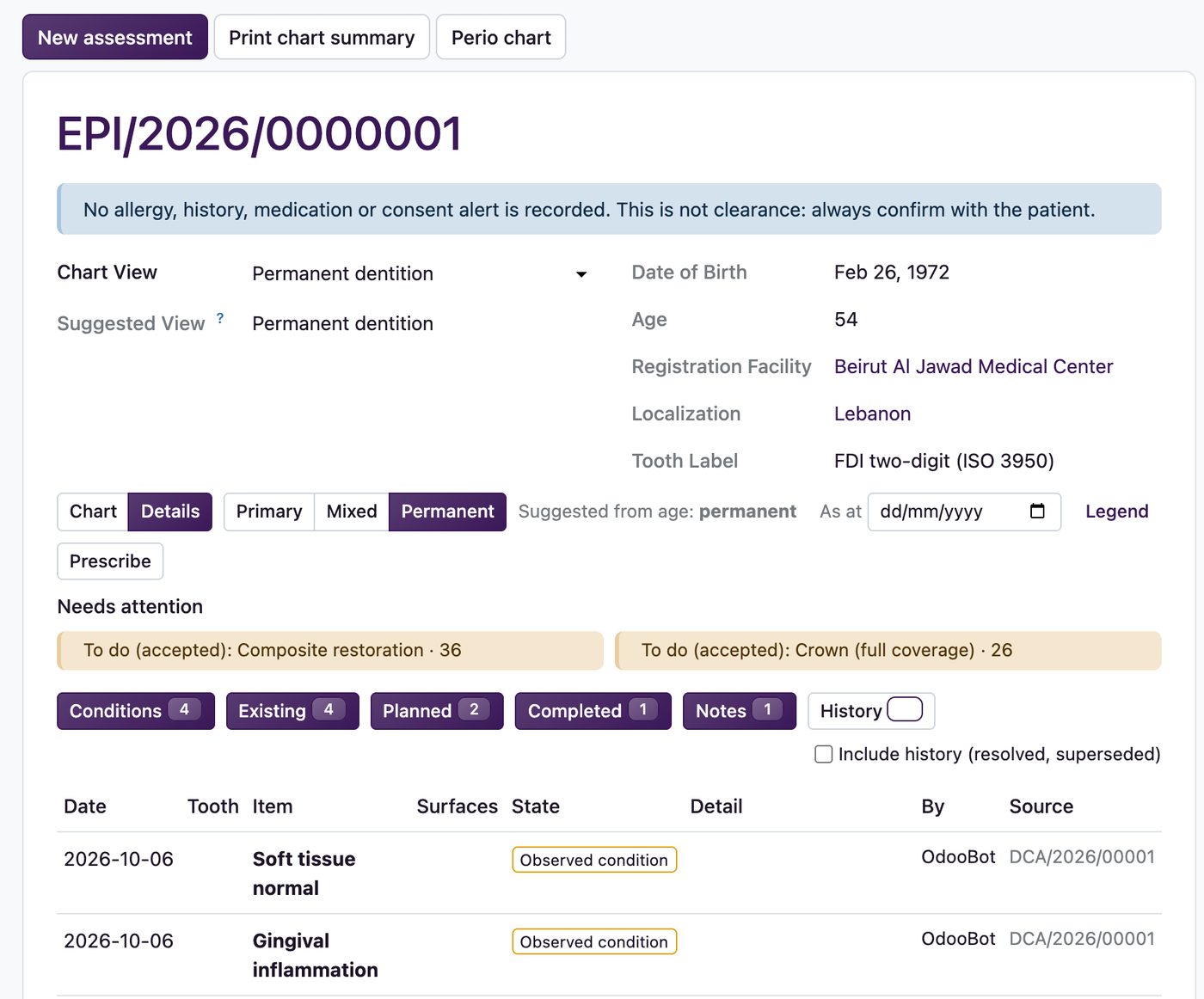
Every condition, existing restoration, planned and completed treatment and note, in one list you can filter.
- Filters
- Conditions, existing, planned, completed and notes, with resolved and superseded history on request.
- Needs attention
- Plans awaiting the patient's decision, accepted work not yet done, unsigned drafts and overdue recalls.
- Prescribe from the chart
- A prescription opens in the pharmacy workflow. Ingredients, allergy checks and dispensing stay there.
From plan to quotation
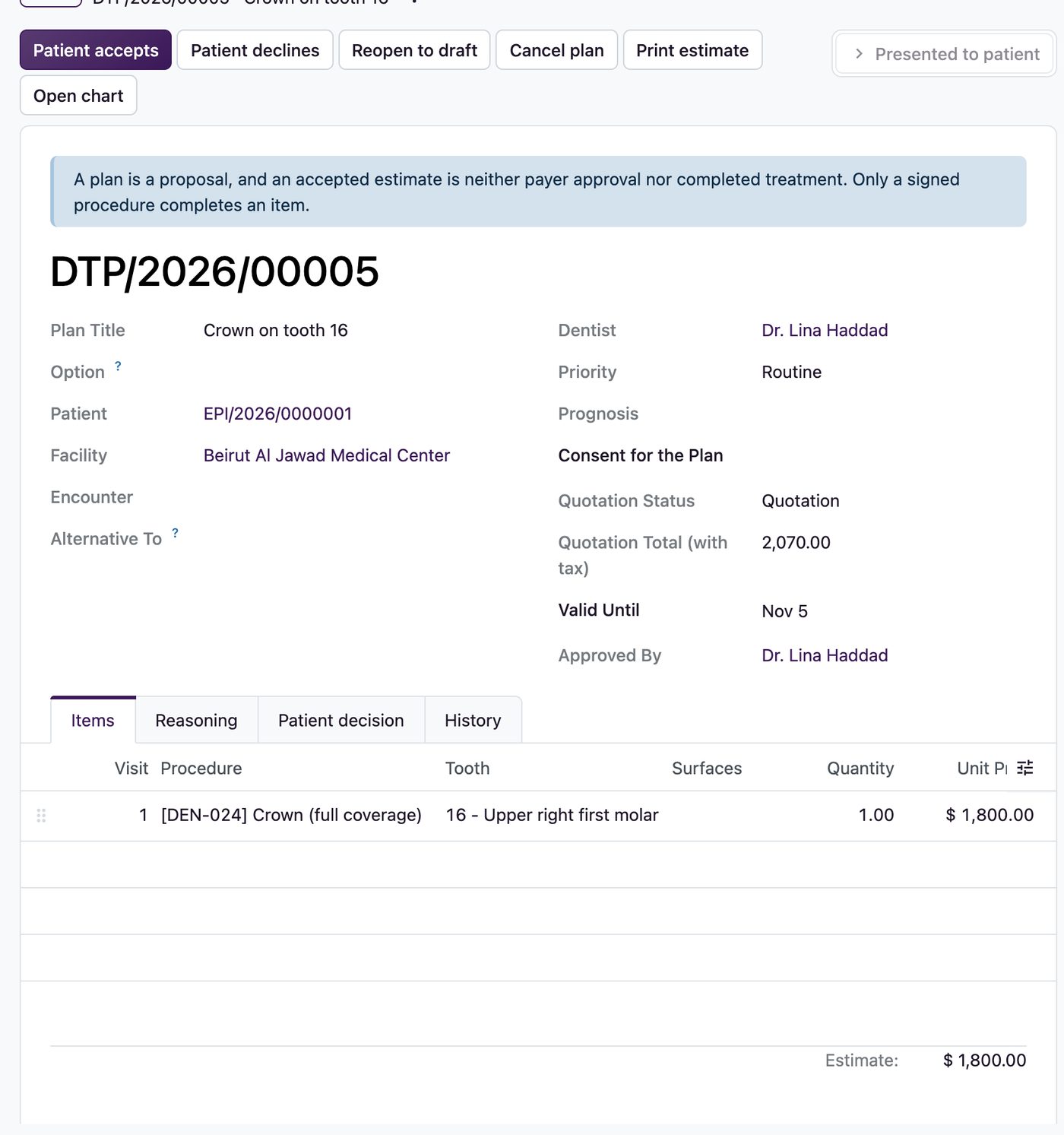
A plan is a proposal. Present it and Sales creates the quotation, one line per item at the quoted price.
- Options
- Offer alternatives with an estimate for each. Accepting one declines the others.
- The patient decides
- The decision is recorded with who gave it and how. A minor's plan is accepted by the guardian, and a patient can sign the quotation on the portal.
- Deposits and invoices
- Bill before the work, part-bill with a deposit, or bill on delivery when the dentist signs. Work sold on an order is not charged again to the encounter.
Sign each procedure with the checks done
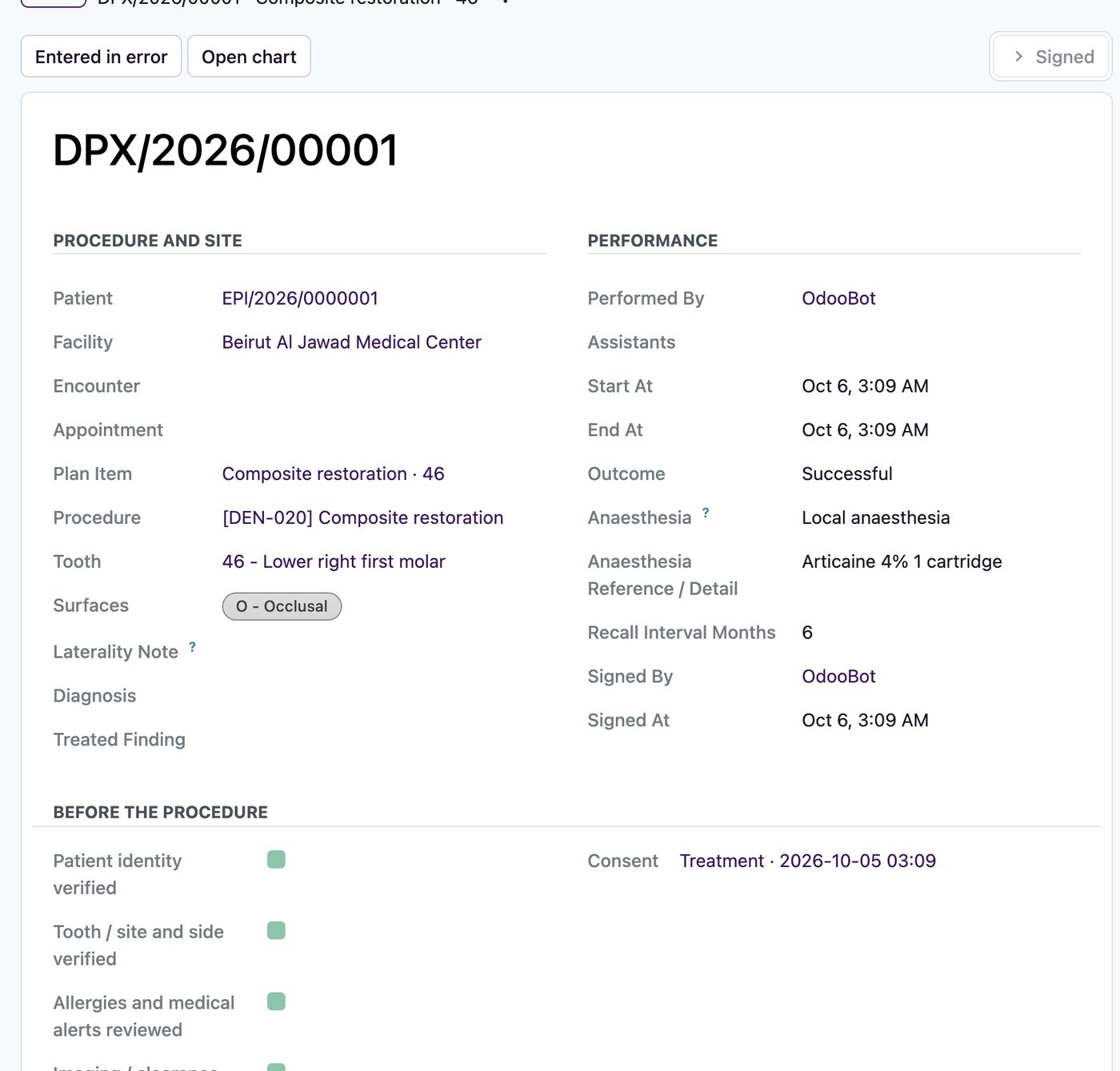
A signed procedure is the only record that completes treatment. It states what was done, to which tooth and surface, and by whom.
- Before irreversible work
- Identity, tooth, site and side, allergies and alerts, imaging or clearance, and valid signed consent. A minor needs the guardian's signature.
- Everything recorded
- Anaesthesia, assistants, materials with lot references, and the instructions given to the patient.
- A refusal leaves evidence
- If a check is missing the signature is refused, and the attempt is kept in the audit.
Probe six sites on every tooth
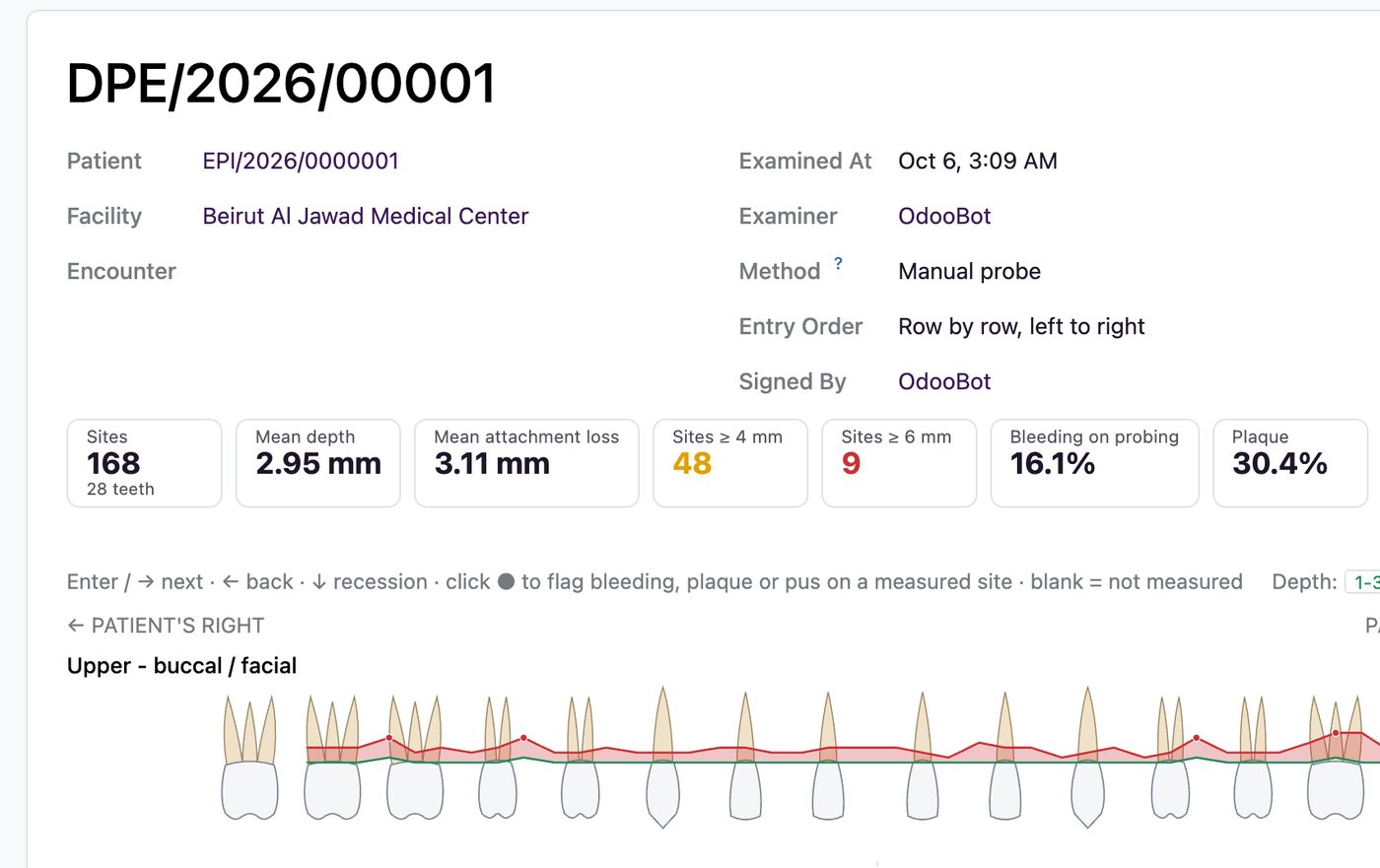
An optional module for full periodontal exams: depth, recession, bleeding, plaque and suppuration, with mobility and furcation for each tooth.
- Fast entry
- Keyboard entry with auto-advance, row by row or in snake order.
- Live graph
- A probing graph on the tooth anatomy, depth colouring, and the figures that matter: mean depth, attachment loss, sites at 4 and 6 mm, bleeding and plaque.
- Honest blanks
- Blank means not measured, never zero. A signed exam is final and shows the change against the previous one.
The schedule knows the chair as well as the dentist
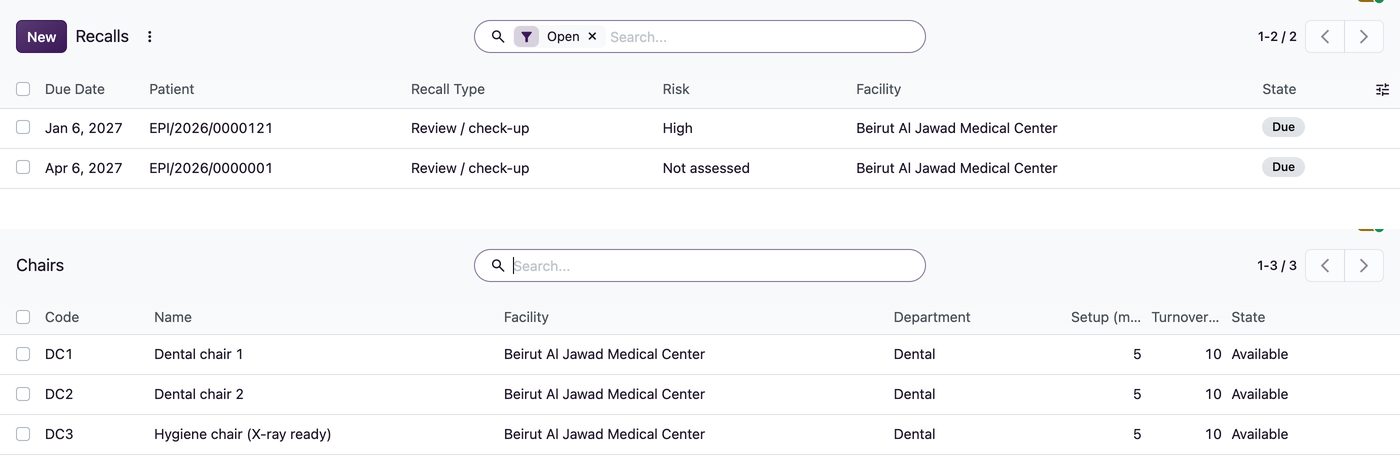
Dental visits use the normal appointment and add the chair, the assistant and the recall.
- Chairs
- Chair and assistant allocation with setup and turnover time. A conflict is refused.
- Recalls
- By type, from signed assessments and procedures, with overdue recalls shown.
- Intake
- A dental intake and risk questionnaire before the examination.
Built-in safeguards
Country profiles are supplied as drafts. Your organisation reviews and approves a profile, the procedure catalogue and the finding types before they are used for signing. Insurance splits and payer evidence stay on the insurance path, and dental insurance rules and country payer adapters are scoped per project.
Questions we are asked
Is the dental chart a separate patient record?
No. It is a view of the same patient, built from signed findings and procedures. The dental module reuses the patient, visit, consent, diagnosis, pharmacy and billing records.
Can an assistant sign a procedure?
No. Assistants and hygienists chart conditions and prepare drafts. A dentist signs and approves.
Can we quote a treatment plan to the patient?
Yes. With the quotations module, presenting a plan creates a Sales quotation, and the patient's decision confirms it. Invoicing and deposits then follow Sales.
Which countries is it set up for?
Starter profiles exist for Saudi Arabia, the UAE, Lebanon, Iraq, Oman and Bahrain. They are drafts: your organisation reviews and approves a profile before use.
Talk to us about your setup
Tell us about your facility and current systems. We will reply within one working day.