Start with scope and phasing, not features
Most weak tenders begin with a long list of features. Strong ones begin with decisions about scope. Settle these first, because every answer from a vendor depends on them.
- Which departments go live in the first phase, and which follow.
- Which existing systems stay, and which are replaced or retired.
- Which interfaces are in scope, and who owns the other end of each.
- How many sites, and which languages users and patients need.
- Who decides, and how the decision will be scored.
Requirement areas to cover
For each area, ask for evidence of how it works, not a yes or no. The table lists what to ask for.
| Area | What to ask for evidence of |
|---|---|
| Patient identity | Matching rules, duplicate handling, merges, national ID formats and Arabic names |
| Clinical record | Structured documentation, orders, results, versioning and sign-off |
| Laboratory (LIS) | Specimen workflow, analyzer connections, critical results and quality control |
| Imaging (RIS/PACS) | Worklists, accession numbers, reporting, viewer access and DICOMweb |
| Pharmacy and stock | Formulary control, prescribing checks, dispensing, batch and expiry, point of sale |
| Billing and payers | Pricing, eligibility checks, pre-authorisation, claims and payer rules |
| Reporting | Operational dashboards, data access and export |
| Access and audit | Roles, facility scope, sensitive records and the audit trail |
| Integration | Standards supported, interface ownership, monitoring and reconciliation |
| Languages | Arabic and English screens and documents, including right-to-left layout |
| Hosting and data | Hosting options, data location, backup and recovery |
| Implementation | Phases, testing, sign-off and role-based training |
| Support | Named contacts, response targets, escalation and upgrades |
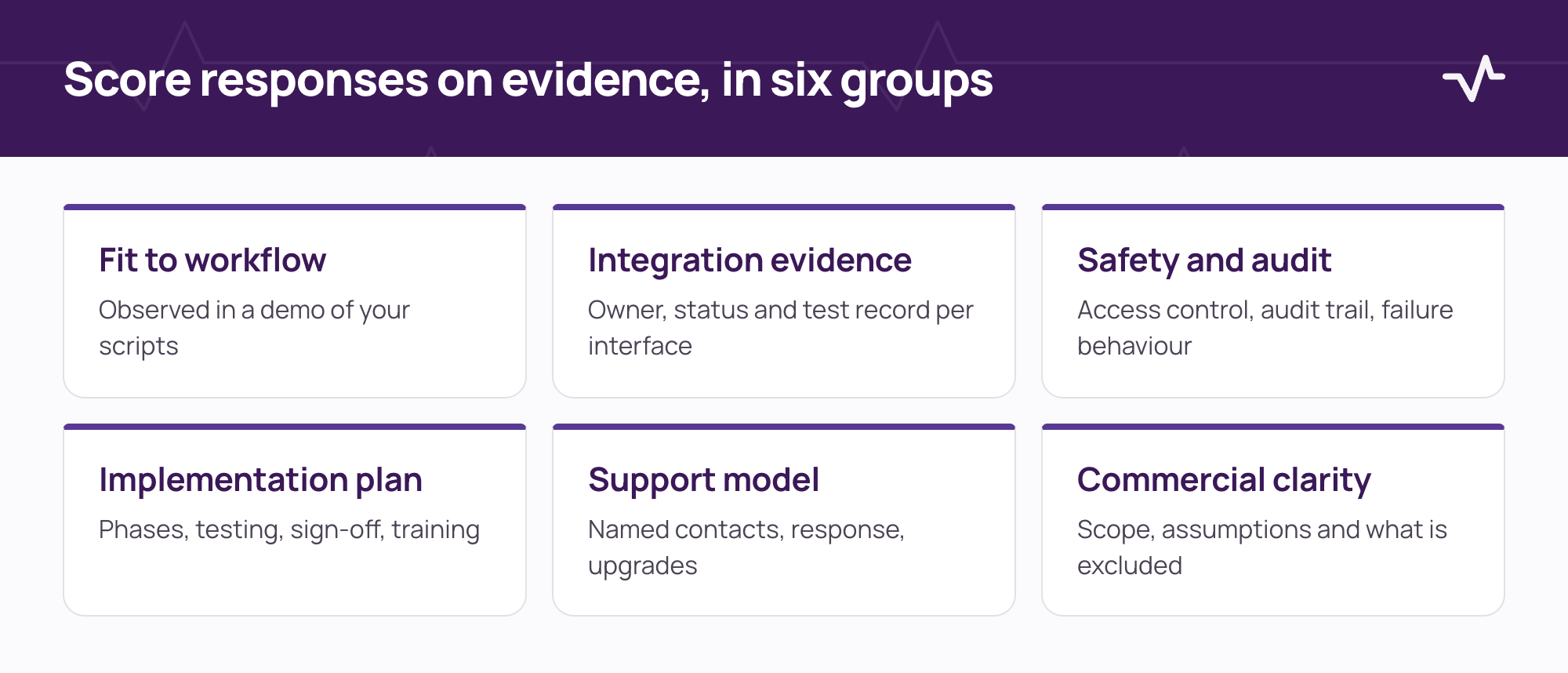
Write demo scripts from your own workflows
A slide deck shows what a vendor wants to show. A script shows what your teams will do. Write scripts from real patient journeys and give every vendor the same ones.
- Register a patient with an Arabic name, then find them again by a partial name.
- Place a laboratory order, collect, result and acknowledge a critical value.
- Order an imaging study, show the worklist, and open the images from the order.
- Prescribe, verify, dispense and record the charge, including a controlled item.
- Show what happens when an interface is down, and how the team recovers.
- Show who accessed a record, and how a restricted record is protected.
Put integration in an appendix of its own
Ask each vendor to complete your integration register for your landscape and to give each connection one status: live, onboarding ready, scoped or on the roadmap. A connection listed as "supported" without an owner, a status and a test record is not yet an answer. The integration readiness guide shows the register to use.
Score on evidence
- Separate must-haves from nice-to-haves. A missing must-have is a stop, not a lower score.
- Score what you observed. Give marks for behaviour in your demo, not for statements in the response.
- Check references that are like you. Ask for sites with similar scale, departments and interfaces, and ask what went wrong as well as what went well.
- Compare the implementation plans. Look for phases, testing and sign-off, not a single go-live date.
Questions for reference calls
Reference calls are useful only if the questions are specific. Ask the reference about departments, interfaces and scale like yours.
- What was live at go-live, and what was added later?
- Which interface took longest, and why?
- How were problems raised and resolved in the first three months?
- What would you add to the contract that you did not?
- Would you choose the same vendor again, and for which departments?
Plan the evaluation timeline
Evaluation takes longer when requirements change halfway. Fix the scope, issue the scripts, run the demonstrations within a short window so memories are fresh, and score on the same day. Leave time for the integration and security questions to be answered in writing.
Red flags in responses
- Features described with no demonstration.
- Integrations described as supported with no owner, date or test record.
- Compliance or certification claims with no evidence.
- No downtime procedure.
- Arabic offered as translated screens only.
- An implementation plan that is one date.
- No named support contacts.
If you are procuring in Saudi Arabia or the wider Gulf
Add questions about connection to national platforms, languages, data location and local support. Ask each vendor to state exactly which connections are live and which are only scoped, and treat the current requirements published by each platform operator as the source of truth. Also add the questions in AI in clinical workflows if AI features are in scope.
Frequently asked questions
What should a hospital information system RFP include?
Scope and phasing, requirement areas with requests for evidence, demo scripts, an integration appendix, security and hosting questions, implementation and support expectations, and a scoring method.
Should we buy one suite or separate best-of-breed systems?
It depends on your integration capacity and department needs. Ask vendors to show how modules share one patient record and how interfaces are governed and monitored.
How many vendors should give a demonstration?
Enough to compare behaviour on identical scripts. Keep the scripts the same for every vendor so the results can be compared fairly.
How do we compare Arabic support?
Run your own Arabic scripts: names, clinical notes, documents, search and printing, in right-to-left layout.
Related Ventrecs pages
- Solutions by provider type Medical centres, laboratories, imaging centres, pharmacy groups and hospital networks.
- The Ventrecs platform Six products on one patient record, one set of controls and one integration layer.
- Integrations How Ventrecs scopes, tests and supports each connection.
- Security and delivery Access control, audit, hosting options and the phased delivery method.
Planning a deployment?
Preparing a requirements list? Tell us about your facility and current systems, and we can help you map the workflows and interfaces to put in it.
More insights
- Healthcare integration readiness: scope every interface before go-live Most delays in a healthcare deployment come from interfaces nobody scoped. Use this guide to agree each connection, its owner and how it is tested before go-live.
- AI in clinical workflows: where a person must sign off AI can remove repetitive work from clinical teams. It should never be the last step in a clinical decision.
- Laboratory analyzer integration checklist: what to define before connecting your LIS Most analyzer problems come from details nobody wrote down. Use this checklist to define each instrument connection before configuration starts.