Why interfaces, not features, delay go-live
A new system rarely fails on its own features. It slips because a laboratory analyzer, a payer endpoint, a PACS or an exchange platform was assumed to "just connect". By the time the gap is found, go-live is weeks away and the workaround is paper.
Interfaces differ from features in three ways. They depend on a party you do not control. They need test data that behaves like production. And they fail in ways clinicians notice first: a result that never arrives, a study attached to the wrong patient. That is why integration deserves its own scope, owner and test plan, agreed before configuration begins.
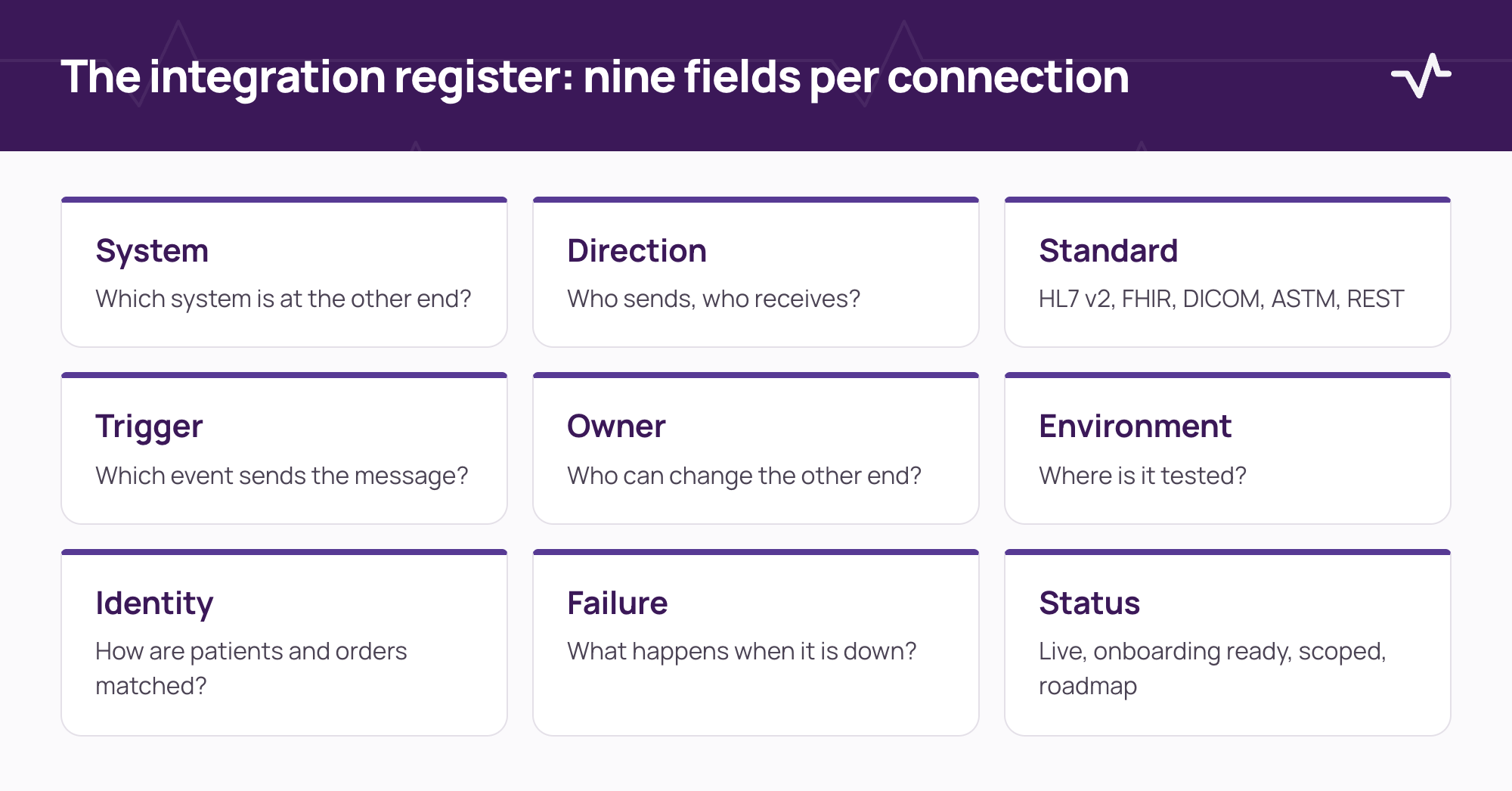
Start with an integration register
An integration register is one list of every system the new platform must exchange data with. Build it with clinical, IT and operations leads in the same room, then keep it as the reference through delivery.
| Field | Question to answer | Typical answer |
|---|---|---|
| System | Which system sits at the other end? | Laboratory analyzer, PACS, payer gateway, exchange platform, accounting system |
| Direction | Who sends and who receives? | Inbound, outbound or both |
| Standard | Which message or API standard? | HL7 v2, FHIR, DICOM, ASTM, REST, file transfer |
| Trigger | What event sends the message? | Order placed, result verified, study acquired, claim submitted |
| Owner | Who owns the other end and can change it? | A named person or vendor contact |
| Environment | Where can it be tested before go-live? | Vendor sandbox, test instrument, test archive |
| Identity | How are patients and orders matched? | Patient number, accession number, national ID |
| Failure | What happens when the other side is unavailable? | Queue and retry, manual fallback, alert to a named role |
| Status | How ready is the connection? | Live, onboarding ready, scoped, on the roadmap |
Eight questions to answer for every interface
- What data moves, and which fields are mandatory on each side?
- Which system is the source of truth for each field?
- How are codes mapped (tests, procedures, medicines, services), and who maintains the mapping?
- How are patients and orders identified, and what happens on a mismatch?
- What does the receiving system do with an error, and who sees it?
- How is the interface monitored after go-live, and who responds?
- What is the manual procedure during downtime, and how is data entered afterwards?
- Who signs off that the interface works in context, and on what evidence?
Use one set of status labels
Give every connection one status and use the same words in plans, status reports and conversations with vendors. Ventrecs uses four: live (running in a production deployment), onboarding ready (built and available to scope with you), scoped (agreed for your project, not yet built) and on the roadmap. Nothing is described as available until it has been tested in your deployment.
Name who is responsible for each part
An integration register only works if people are named. Agree the roles early and write them in the register.
| Role | Responsibility |
|---|---|
| Project lead | Owns the register and the go-live gates |
| Clinical lead | Confirms the workflow and accepts the test results for each department |
| Integration lead | Owns the technical design, the monitoring and the error queue |
| Vendor contact | Owns the other end of each connection and its test environment |
| Privacy and security lead | Confirms access, data location and audit for each connection |
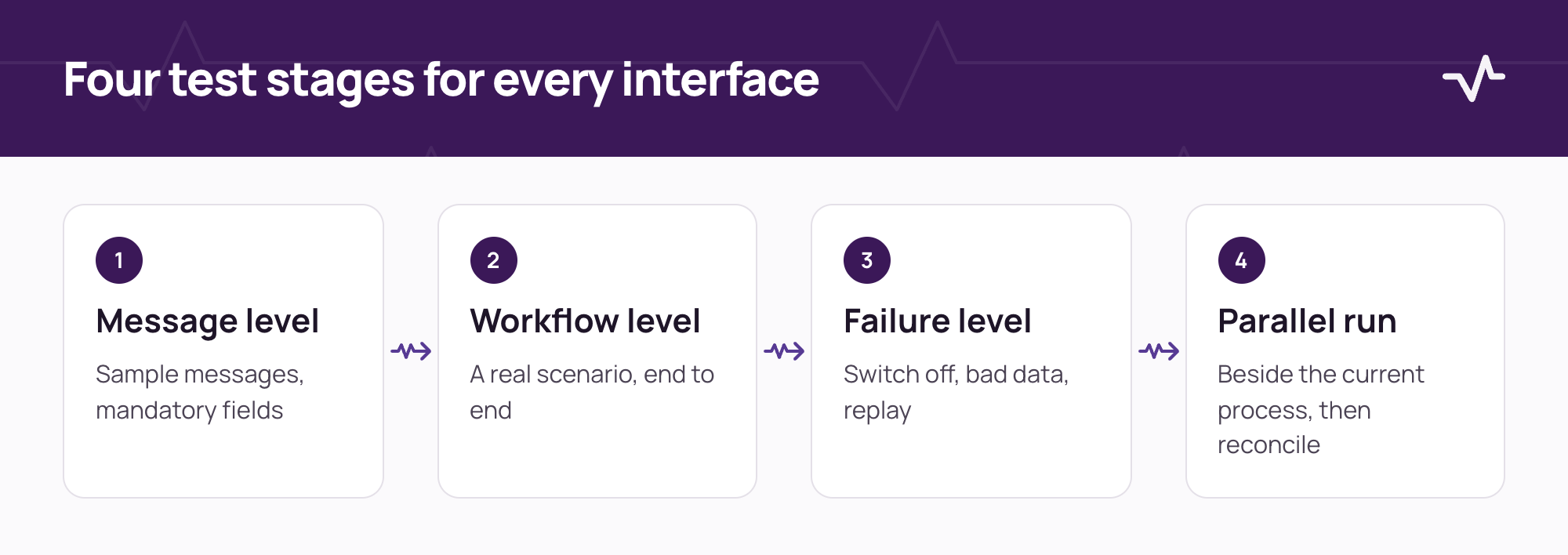
Test in context, in four stages
- Message level. Send sample messages and confirm that each mandatory field arrives and is stored correctly.
- Workflow level. Run a real scenario end to end: an order placed in one system, a result in another, a notification to the clinician.
- Failure level. Switch the other side off, send bad data and replay a message. Confirm the alert, the queue and the recovery.
- Parallel run. Run the interface beside the current process for an agreed period and reconcile the differences before cut-over.
Common failure patterns
- The assumed connection. A system is described as supported, and nobody has asked for a test environment.
- The unowned mapping. Test, service or medicine codes are mapped once and nobody maintains them.
- Test data that looks nothing like production. Everything passes until real names, long identifiers and mixed languages arrive.
- No plan for the other side being down. The interface works until the day it does not, and nobody knows the manual route.
- Sign-off by email with no evidence. Months later, nobody can show what was tested.
A worked example: a result from analyzer to clinician
Follow one laboratory result through its path and ask the same questions at every hand-off.
- Analyzer to LIS. Which identifier does the instrument send, and how is it matched to the order?
- LIS to the clinical record. Which fields are mandatory, and what happens if the record cannot be found?
- Record to clinician. How is a critical value flagged, who is alerted, and where is the acknowledgement recorded?
- Back to the register. Which of these answers is now written down, with an owner and a test record?
Agree the go-live gates in writing
- Every interface in the register has an owner, an environment and a status.
- Each interface has passed message, workflow and failure tests, and the evidence is kept.
- A downtime procedure exists for each interface, and the team has rehearsed it.
- Monitoring and an escalation route are in place for the first weeks after go-live.
- The sign-off records who accepted each interface, and when.
Where to go next
The same discipline applies in every department. Use the laboratory analyzer integration checklist when connecting a LIS, the RIS and PACS integration checklist for imaging, and the HIS procurement checklist when you write requirements. If a laboratory is changing systems, read moving a laboratory to a new LIS without stopping the bench.
If your project involves national health information exchanges or payer connections, treat each platform's current specification and onboarding process as the source of truth, and agree the route with the operator early.
Frequently asked questions
How is an integration register different from a technical design?
A technical design describes how a connection works. The register records that it exists, who owns it, how ready it is and how it was tested, in terms the whole project can read.
What is an integration readiness checklist?
It is a structured list of the questions that must be answered for each connection between systems before go-live: the data, the owner, identity matching, error handling, testing and sign-off.
Who should own the integration register?
A named project lead owns the register, with one accountable person on each side of every connection. Clinical, IT and operations leads should review it together.
When should interfaces be scoped?
Before configuration starts. Scoping early lets you request test environments, credentials and vendor time while there is still room in the plan.
Does every connection need a parallel run?
Not always. Connections that carry results, orders or claims usually justify one. Low-risk, read-only connections may not. Agree the rule in the register.
Related Ventrecs pages
- Integrations How Ventrecs scopes, tests and supports each connection.
- Ventrecs Connect The governed integration hub: monitoring, retries and reconciliation.
- Solutions by provider type Medical centres, laboratories, imaging centres, pharmacy groups and hospital networks.
- Security and delivery Access control, audit, hosting options and the phased delivery method.
Planning a deployment?
Tell us about your facility and current systems. We can map the workflows and interfaces that need to be agreed first.
More insights
- Laboratory analyzer integration checklist: what to define before connecting your LIS Most analyzer problems come from details nobody wrote down. Use this checklist to define each instrument connection before configuration starts.
- RIS/PACS integration checklist: 10 workflow decisions before go-live Most imaging integration problems are workflow questions that were never asked. Settle these ten decisions before go-live.
- Hospital information system RFP checklist: how to evaluate HIS, EMR, LIS, RIS and pharmacy requirements A good RFP asks for evidence, not features. Use this checklist to define scope, requirements, demonstrations and scoring before you issue it.